Artificial intelligence is no longer just for developers or large companies.
Today, anyone with an internet connection can access powerful AI tools that help with writing, image creation, coding, research, video editing, and even music production—often without paying a cent.
The challenge isn’t finding AI tools anymore.
It’s knowing which ones are actually worth your time.
In this guide, we’ll look at some of the best free AI tools available in 2026, what they do best, and who they’re most useful for.
Why Free AI Tools Are So Popular
Only a few years ago, many advanced AI platforms required expensive software licenses or enterprise subscriptions.
Today, the situation is very different.
Most leading AI companies offer free plans that let users experience their technology before upgrading to premium features.
For students, freelancers, small businesses, and anyone curious about AI, these free versions are often more than enough for everyday tasks.
1. ChatGPT
Best for:
- Writing
- Brainstorming
- Summarizing articles
- Learning new topics
- Everyday productivity
ChatGPT remains one of the easiest ways to get started with AI.
Whether you’re drafting emails, generating blog ideas, explaining complex concepts, or organizing information, it can save a surprising amount of time.
Even the free version offers enough features for many casual users.
2. Google Gemini
Best for:
- Google Workspace users
- Research
- Travel planning
- Productivity
- General questions
Gemini works especially well for people who already use Google’s ecosystem.
It integrates naturally with Google services and provides helpful responses for planning, researching, and everyday problem-solving.
3. Claude
Best for:
- Long documents
- Careful writing
- Reports
- Professional communication
Claude is known for producing natural, thoughtful responses.
Many users prefer it when working with longer documents or when they need writing that sounds polished and professional.
4. Perplexity AI
Best for:
- Research
- Fact checking
- Finding sources
- Quick answers
Unlike traditional chatbots, Perplexity focuses on answering questions while showing where the information comes from.
This makes it especially useful for students, researchers, and anyone who wants to verify information before using it.
5. Microsoft Copilot
Best for:
- Windows users
- Office productivity
- Microsoft 365
- Everyday assistance
Copilot combines AI with Microsoft’s productivity tools.
If you regularly use Word, Excel, Outlook, or Windows, it can help automate repetitive tasks and improve workflow.
6. Canva AI
Best for:
- Social media graphics
- Presentations
- Marketing materials
- Beginners
Canva has gradually added AI-powered features that make design much easier.
Users can generate images, remove backgrounds, write marketing copy, and create professional-looking graphics without advanced design skills.
7. Leonardo AI
Best for:
- Digital art
- Game assets
- Concept design
- Illustrations
Leonardo AI has become popular among artists and designers looking for high-quality image generation with generous free usage.
It offers excellent control over styles and visual quality.
8. Suno AI
Best for:
- Music creation
- Song generation
- Background music
- Creative projects
Suno allows users to generate original songs simply by describing the style or mood they want.
It’s an impressive example of how quickly AI music technology has evolved.
Which AI Tool Should You Choose?
The answer depends on what you’re trying to accomplish.
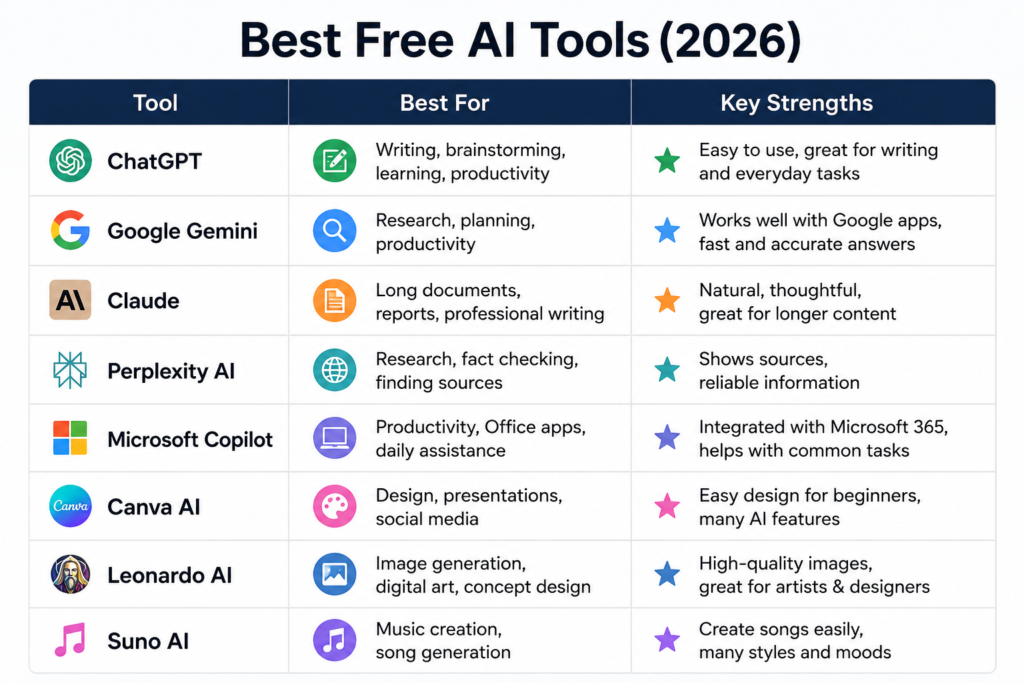
If you mainly write, ChatGPT or Claude may be your best option.
If you’re researching information, Perplexity is an excellent choice.
For creating graphics, Canva AI and Leonardo AI are great starting points.
If you’re interested in music, Suno is one of the easiest platforms to explore.
Fortunately, most of these services offer free plans, so there’s no need to commit before trying them yourself.
A Few Tips Before You Start
AI tools are incredibly useful, but they’re not perfect.
Always review important information before publishing it, especially if you’re using AI for business, education, or professional work.
It’s also worth experimenting with different prompts.
Often, a small change in the way you ask a question can lead to much better results.
The more you practice, the better your AI-generated content will become.
Final Thoughts
There’s never been a better time to explore artificial intelligence.
The tools available today are faster, more capable, and more accessible than ever before.
Whether you want to write articles, design graphics, create music, or simply save time during your daily work, there’s a free AI tool that can help.
Start with one or two platforms, learn what they do well, and gradually build your own AI toolkit.
In the next article, we’ll explain how to choose the right AI tool based on your goals, experience level, and budget.
Next Reading: How to Choose the Right AI Tool for Your Needs (2026)